Blog ›
Password-protect a PDF with AES-256, and remove a password you know
A password on a PDF stops a casual reader. It does not stop a determined one, it is not redaction, and the free “protect PDF online” sites ask you to upload the very file you are trying to protect. Here is how to encrypt a PDF properly, what the settings mean, and how to take a password off again.
What a PDF password does
A PDF can carry two passwords. The open password (user password) encrypts the content: without it the file is unreadable. The permissions password (owner password) sets flags such as “no printing” or “no copying” that viewers are asked to honour. The flags are a courtesy, not a lock: any tool that opens the file can ignore them. The encryption is real. Modern PDFs use AES-256; older ones use RC4 or AES-128, which are weaker. Strength of the password matters more than the algorithm: a dictionary word falls in minutes, a long passphrase does not.
Ways to add a password
- Mac: Preview → File → Export → tick Encrypt. Uses AES-128 on older systems; fine for most purposes.
- Windows: Microsoft Word can save as PDF with a password (Options → Encrypt the document with a password) when the source is a Word file; for an existing PDF, PDF24 Creator does it locally.
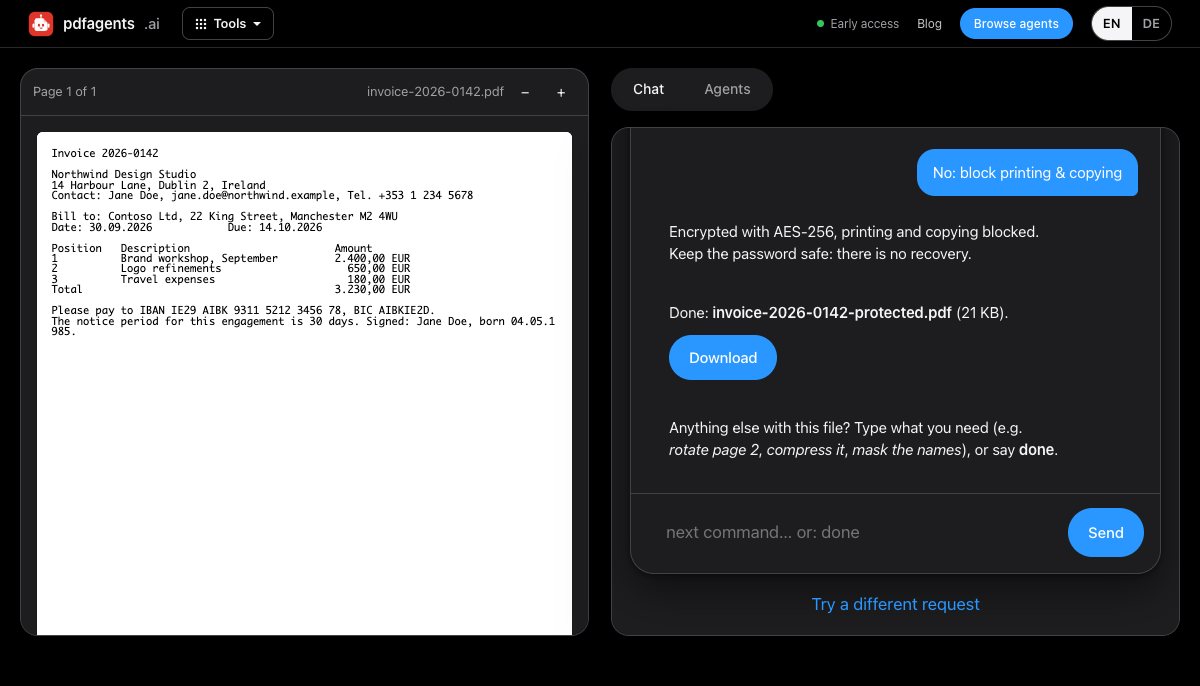
- In the browser, without uploading: pdfagents.ai → drop the PDF, say protect this with a password, type the password, choose whether printing and copying are allowed, download. AES-256, done on your device; the password never leaves your browser. Downloading the protected file is free.
Removing a password you know
Open the file with its password and re-save it without one: Preview (export without the encrypt tick), Acrobat (Security → Remove), or pdfagents.ai (remove the password, type it, download). None of these break a password you do not know; that is a different and much harder problem, and the sites promising it are mostly running a dictionary attack on your document.
A password is not redaction
If the point is to share a document while hiding part of it, a password does nothing: the recipient has the password. Remove the sensitive content instead, with a tool that genuinely deletes it (see how to check a redacted PDF), and then encrypt the result if it must also travel safely.
Practical rules
- Send the password by a different channel than the file (text message or call, not the same email).
- Use a passphrase of several words; length beats symbols.
- Keep an unencrypted copy somewhere safe. A forgotten PDF password is permanent.
- For files that must stay protected after opening, a password is the wrong tool; that needs rights management (Adobe, Microsoft Purview), not PDF encryption.
Questions people ask
How do I password-protect a PDF for free?
On a Mac, export from Preview with Encrypt ticked. On Windows, PDF24 Creator. On any device, pdfagents.ai in the browser: say “protect this with a password”, and the file is encrypted with AES-256 on your device without being uploaded, and the download is free.
Is a PDF password secure?
The encryption (AES-256 in modern files) is secure if the password is strong. A short or dictionary password can be guessed by software in minutes. The permission flags (no printing, no copying) are not security; viewers can ignore them.
How do I remove a password from a PDF?
Open it with the password and save or export it without one: Preview, Acrobat or pdfagents.ai (“remove the password”). You need the current password; no legitimate tool removes a password you don't know.
Encrypt a PDF in your browser
Drop the file, say “protect this with a password”. AES-256, printing and copying optional, nothing uploaded. Downloads are free.
Protect a PDF →