Freelancers
Send quotes and invoices, sign contracts, and at the end of the quarter hand your tax consultant a tidy folder of income and expenses instead of a shoebox of PDFs.
See how your quotes, invoices, contracts and receipts connect in a graph, and let Apple Intelligence sort them and answer your questions. Privately, on your Mac, even in flight mode.
PDF MapDocument graphPrivate AI, works offline
Download for MacFree, every agent
Version 1.0.0 · macOS 15 or later (Apple Intelligence features: macOS 26) · Apple silicon and Intel · 23.8 MB · in English, French, Spanish, Italian, Dutch, Swedish, Russian and Portuguese · signed and notarized by Apple

The video plays from YouTube (youtube-nocookie.com) once you click it.
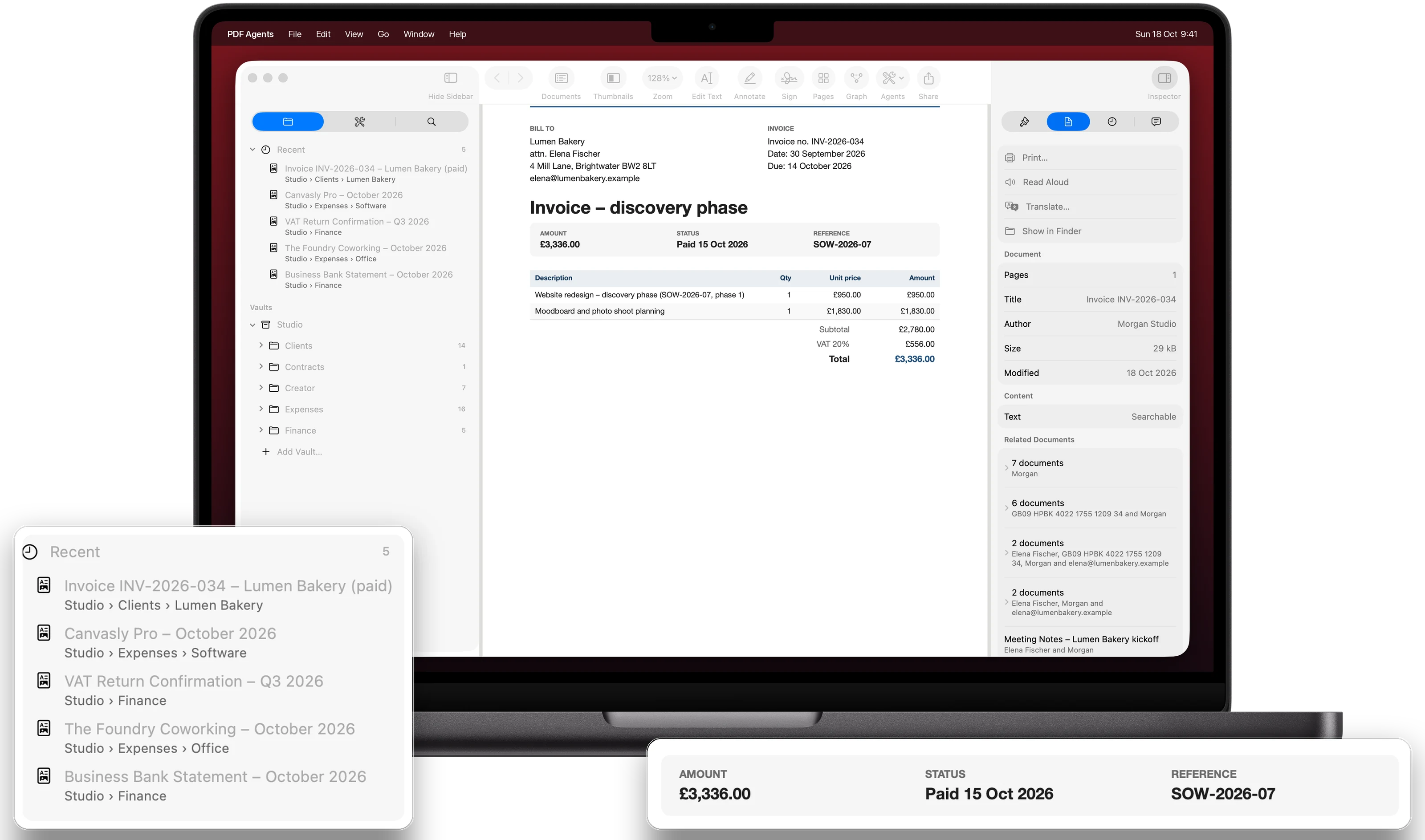
Apple Intelligence runs on your Mac's own chip, so Ask and the Organizer work without an internet connection, even on a plane. Your documents are never uploaded: the agents, text recognition, translation and AI all run on your Mac. No account, no subscription.
Send quotes and invoices, sign contracts, and at the end of the quarter hand your tax consultant a tidy folder of income and expenses instead of a shoebox of PDFs.
Keep supplier contracts, receipts and tax letters in order automatically, and get them ready for your accountant without uploading anything.
Brand deals, media kits, rate cards and sponsorship contracts: compare two versions of an offer, translate a brand's brief, and keep each deal's paperwork together.
PDF Map
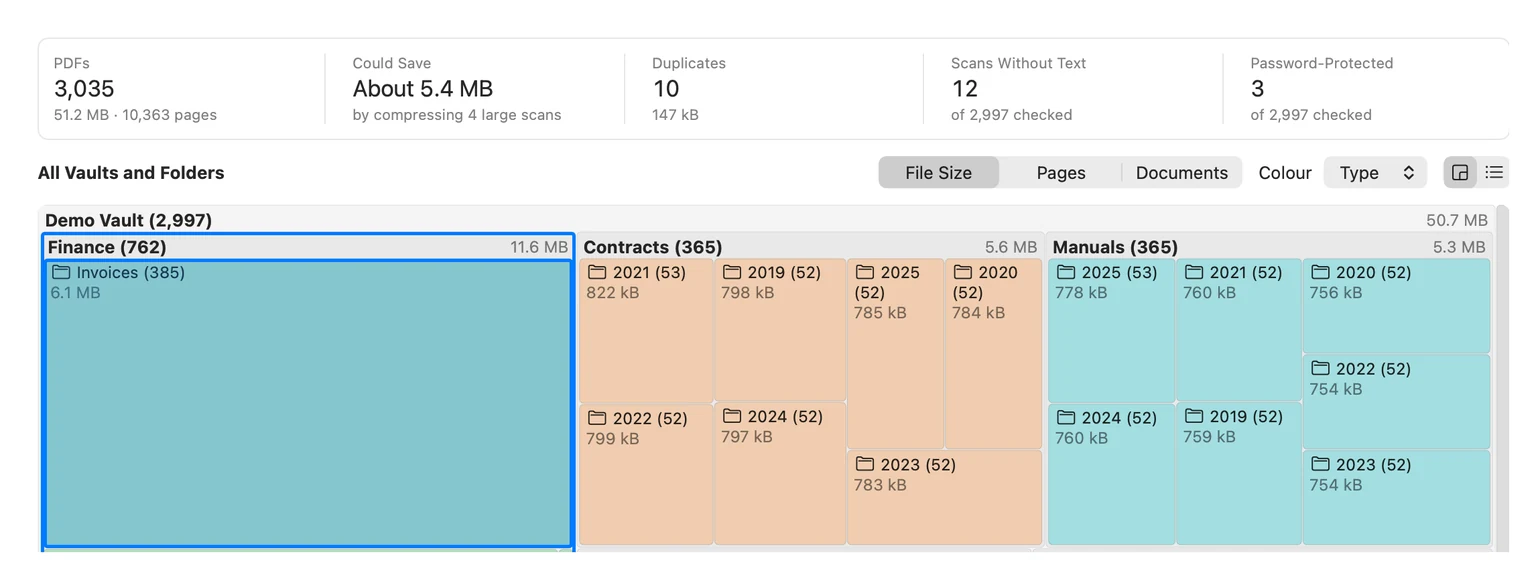
One view over every PDF in your vaults (the folders of PDFs you add to the app): vaults, folders and documents as tiles, sized by file size, pages or number of documents and coloured by document type or age. Each folder's name shows how many PDFs it holds. Click a tile and its PDFs appear in the side pane: sort and search them, open them, or run an agent on several at once. Above the map: how many PDFs you have and how much space they take, about how much compressing could save, duplicates, scans without text and password-protected files.
Recommendations hand the cleanup to the agents, and nothing changes until you've reviewed it: keep one copy of each exact duplicate and move the others to the Trash (Put Back returns them), compress large scans, make scans without text searchable with OCR, and let the Organizer Agent file the unfiled PDFs in your Downloads or Desktop. Possible old versions and copies in tax packages are listed for you to check. Downloads or Desktop can join the map without becoming a vault: they are only read. The map appears instantly from the app's index, works offline, and nothing leaves your Mac.
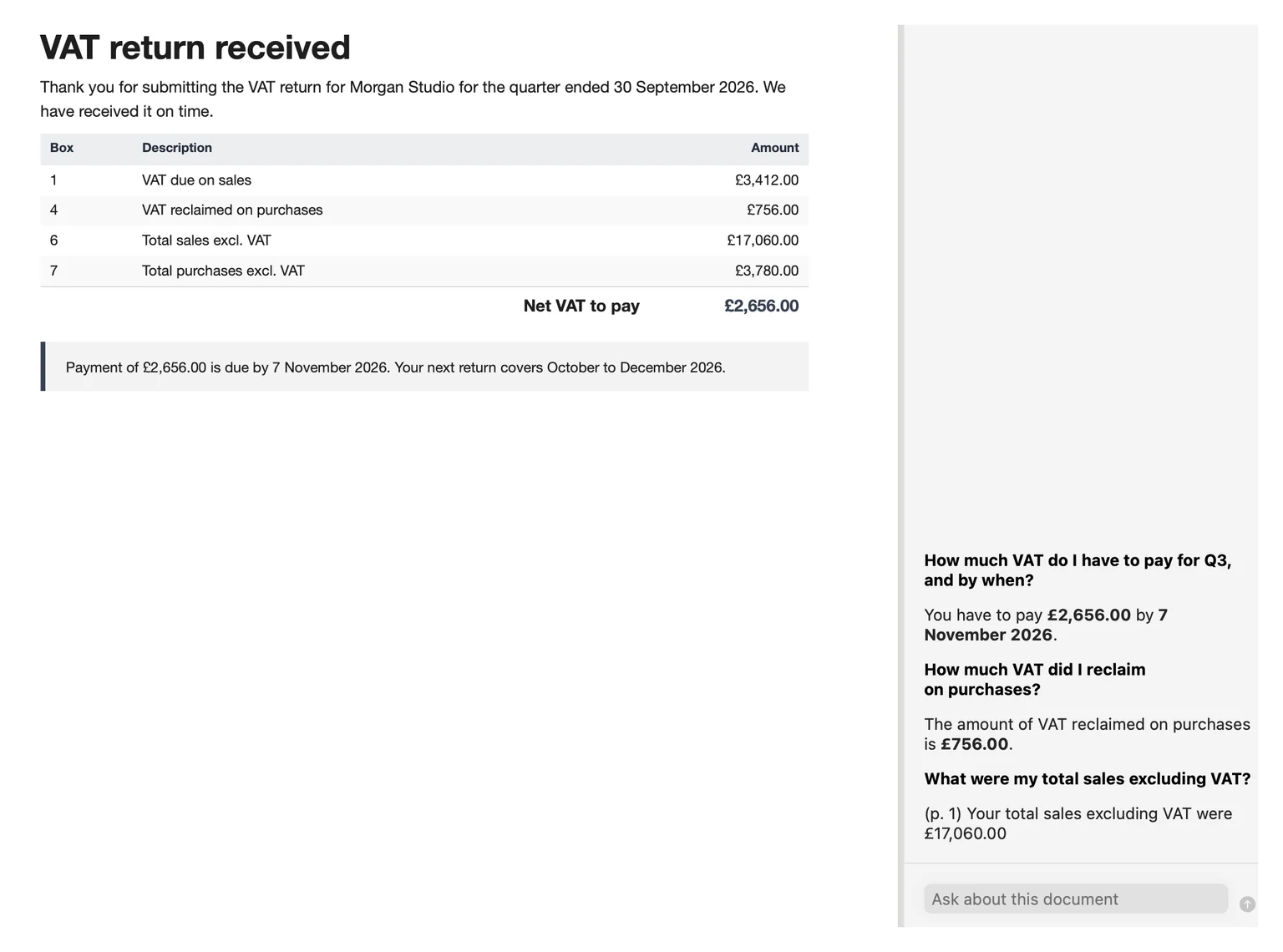
Ask
“When does the Lumen contract end?” “What did I quote Kettle & Co. last year?” Apple Intelligence answers from your PDFs and shows where it found it. It runs on your Mac's own chip: nothing leaves your Mac, and it works in flight mode.
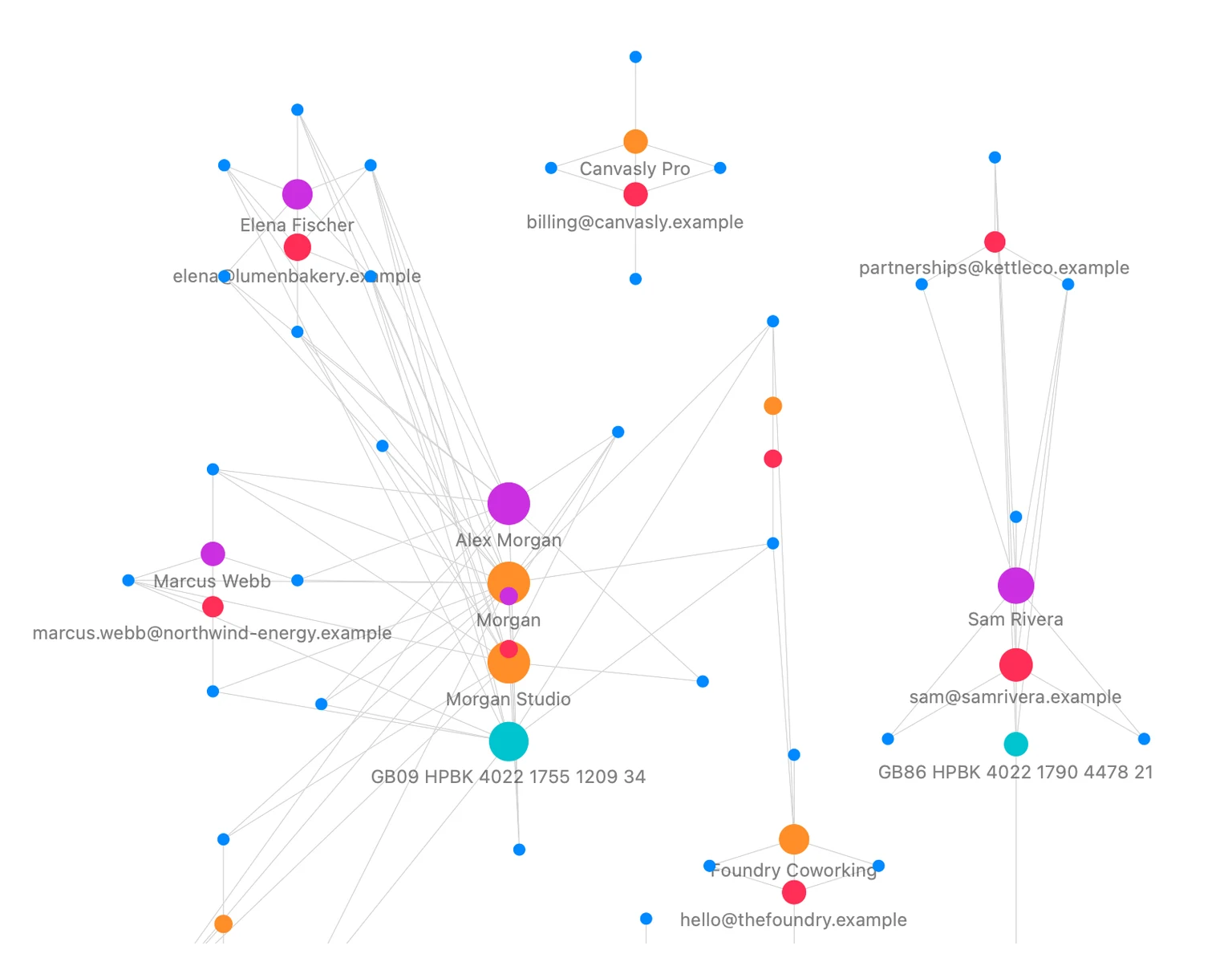
Graph
The graph links documents that share clients, brands and topics, so a client's quote, contract and invoices sit together. Click a client to light up everything about them; zoom with ⌘ and scroll.
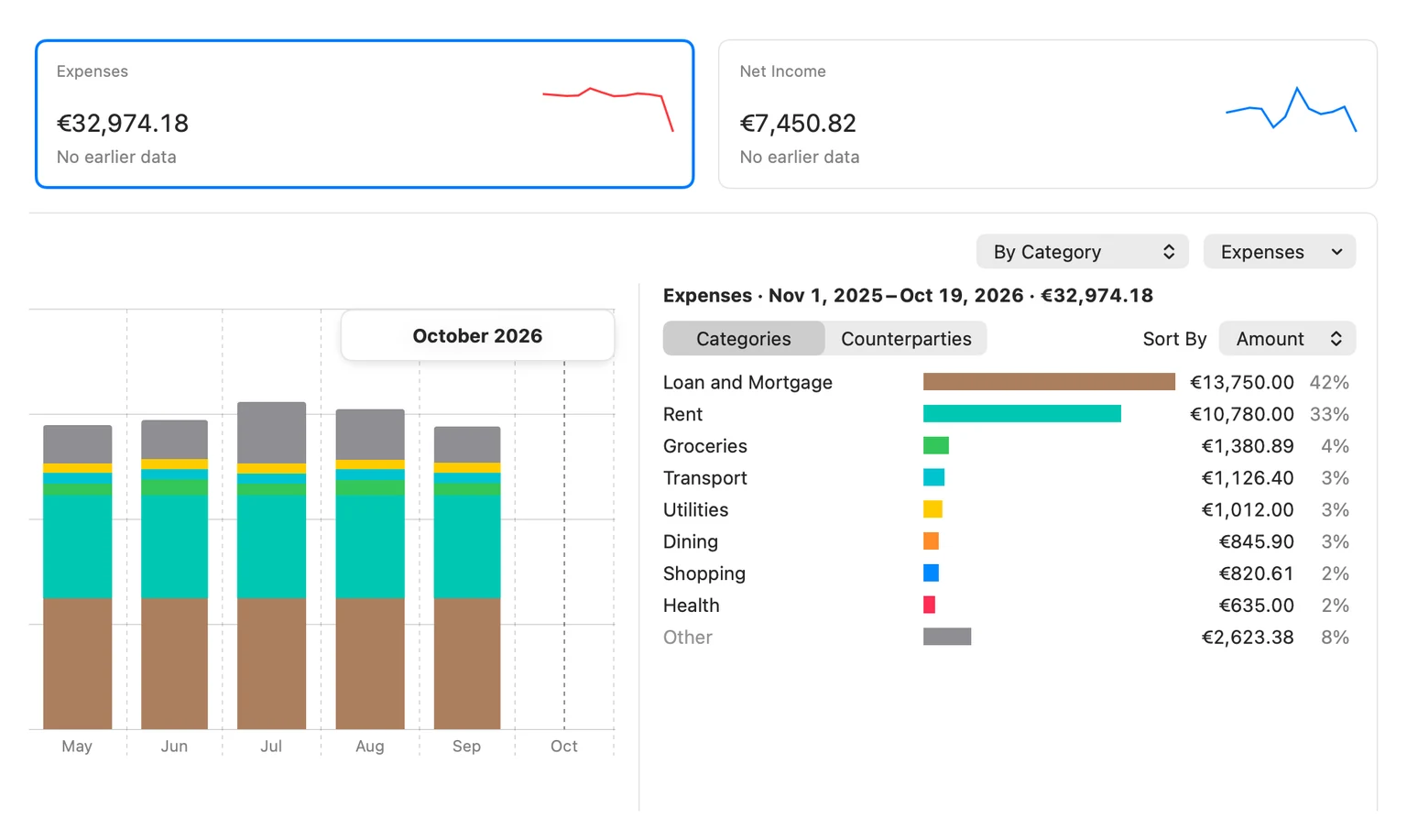
Finance Agent
Revenue, expenses and net income come only from your bank transactions (statements and the transaction lists of your online banking) and the cash entries you confirm. Invoices and receipts are matched to their payments, by the invoice number in the transfer text or by amount, date and name. A paperclip opens the document, and review lists show missing receipts and invoices not paid yet. Click a bar to see its transactions, follow one counterparty or category (personal or business) over time, and see the top five and the biggest movers. Card purchases count as expenses without the card bill counting twice, and statements of other account holders stay out of your totals. Every statement is checked to the cent.
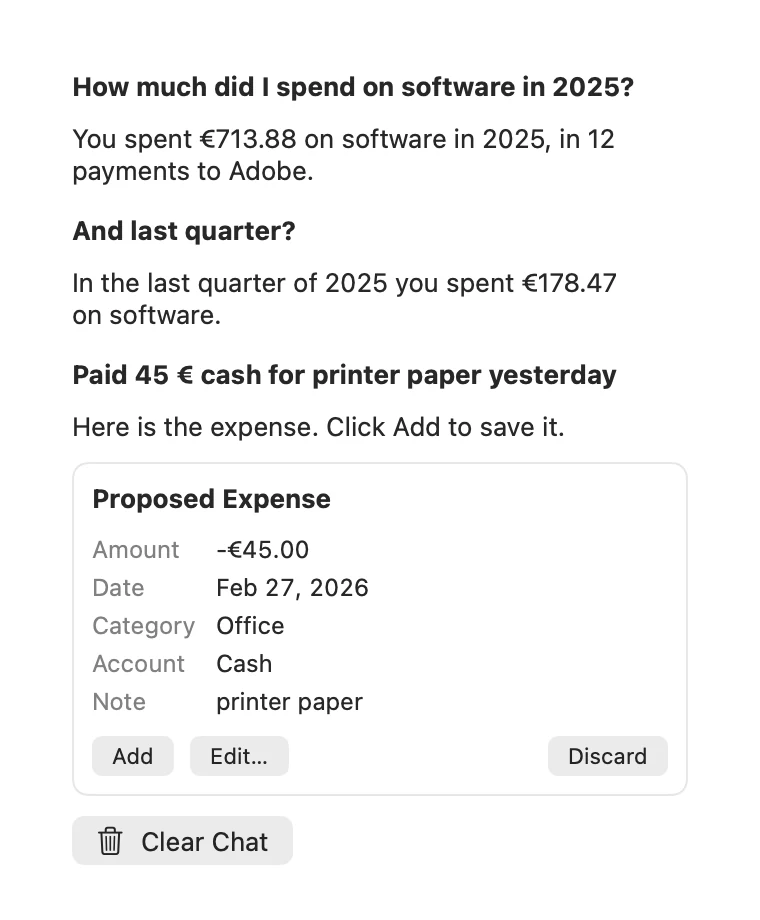
Finance chat
“How much did I spend on software in 2025?” The chat answers from your own figures and shows the answer on the dashboard. Ask for one account, the last six months or the trend of one category, and the dashboard follows. Paid for something in cash? Type “Paid 45 € cash for printer paper yesterday” and it fills in the entry for you to add. It takes corrections too: “Hotel Skansen is Travel, always” or “Advanzia is a credit card” comes back as a card that shows what would change, and nothing changes until you confirm. It all runs on your Mac and works offline: nothing is uploaded or used for training.
The chat needs Apple Intelligence (macOS 26); the dashboard, the matching and the same corrections from the menus work on macOS 15 too. An overview of your money, not accounting software or tax advice.
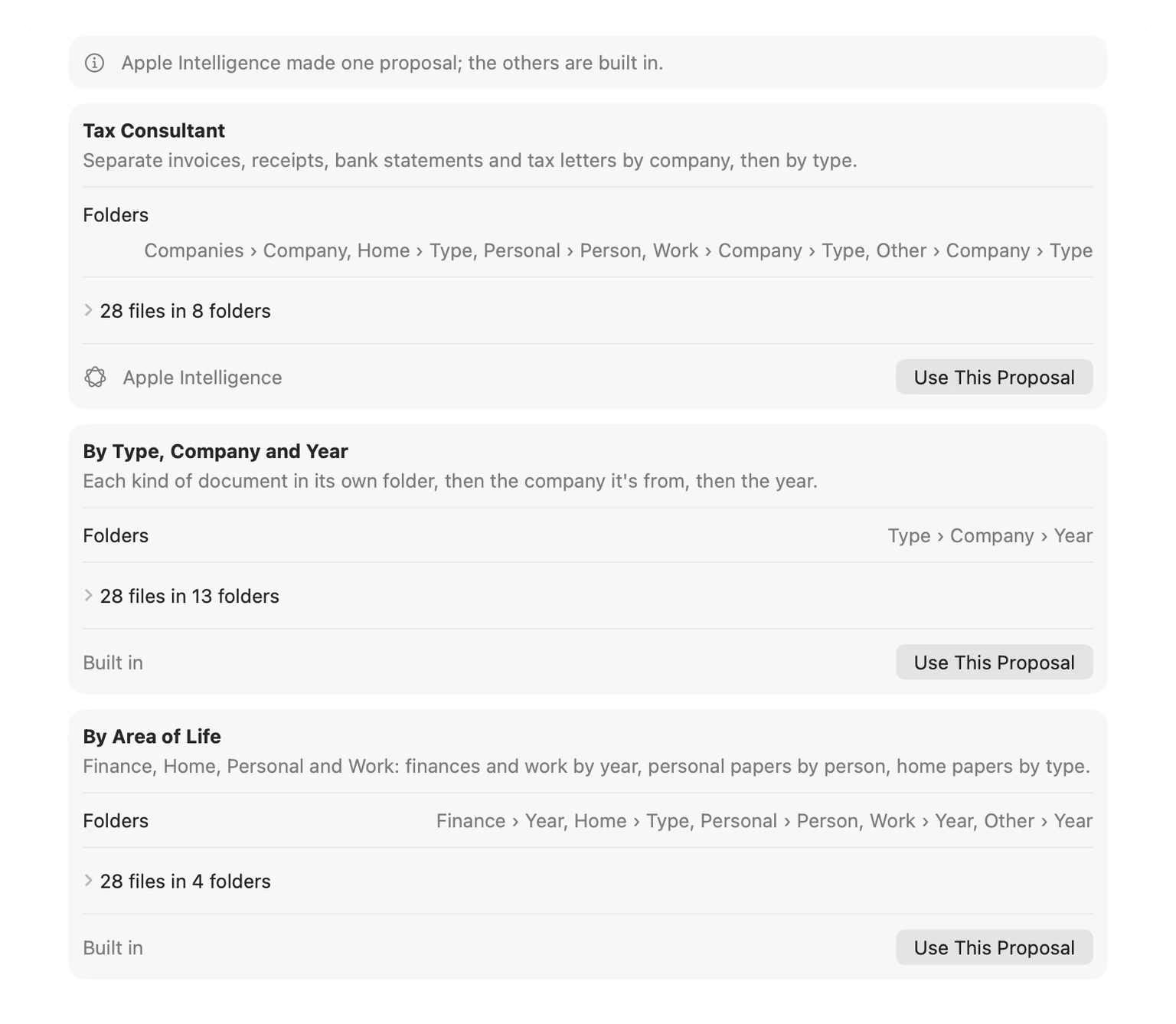
Organizer Agent
Drop a year of receipts, invoices and bank statements into one folder. Apple Intelligence reads what each PDF is and proposes folder structures, by client, by type and year, or just as your tax consultant wants them: income and expenses by quarter, expenses by category. Preview every move, then apply. One click undoes it.
Read aloud
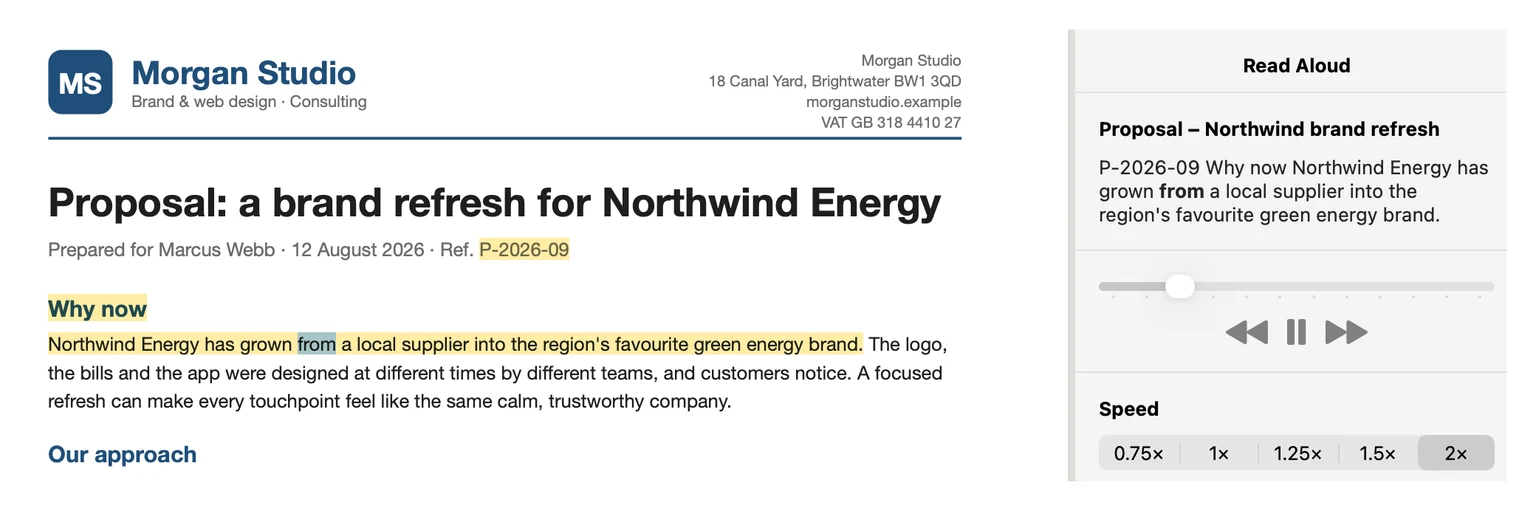
Listen to a contract or a brief while you do something else. The sentence being read is highlighted on the page; skip forward and back and change the speed. Page numbers and repeated headers are left out.
Translate
A letter from a client abroad, an offer in another language: translate the whole document with Apple's translation and read it next to the original. After a one-time language download it works offline.

Agents
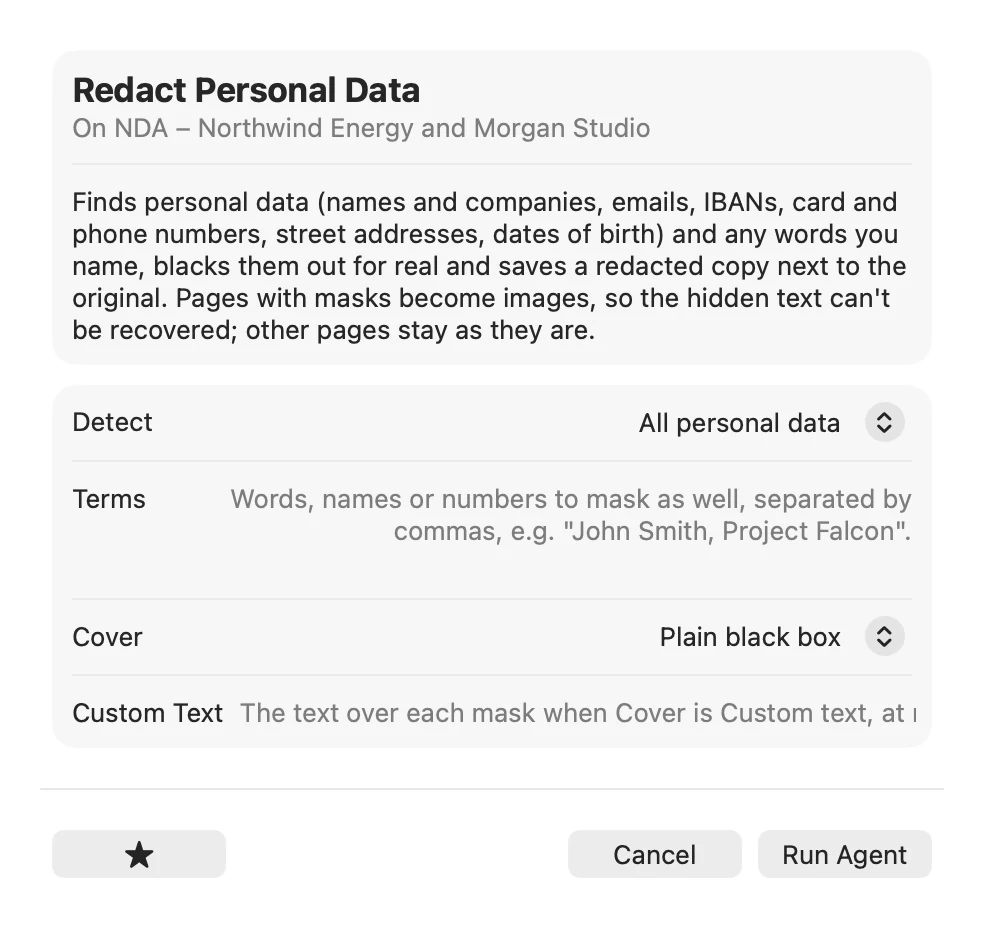
Black out a client's details before you share a contract, compress a proposal for email, sign an offer, turn a PDF into Word or Excel and much more, on one file or a whole folder at once. No page limits, no uploads. Folder Agents run an agent on every new PDF that lands in a folder, like every invoice you save.
Both run the agents on your own device. The website is perfect for a quick job; the app is for your whole library.
| pdfagents.ai in the browser | PDF Agents for Mac | |
|---|---|---|
| Price | Free, every download | Free, every agent |
| Files | One document at a time | Whole folders and batches |
| Page limits | Up to 200 pages (OCR 30) | None |
| PDF Map, Graph, Organizer, Finance Agent, Read aloud, side-by-side translation | – | ✓ |
| Private AI (Apple Intelligence), works in flight mode | – | ✓ |
| Works offline | – | ✓ |
PDF Agents for Mac costs nothing: every agent, the PDF Map, the graph, the Organizer and the Finance Agent. No licence key, no trial, no subscription, no account.
No. The app is free, with every agent. There is no licence key, no trial, no subscription and nothing to buy inside the app.
Only for Ask, the Finance Agent's chat and the Organizer's own proposals. Without it the Organizer offers built-in structures, the Finance Agent's dashboard works without the chat, and everything else works the same. Apple Intelligence needs macOS 26 on a Mac with Apple silicon.
No. Download the app, open it and start. No sign-up, no email address.
No. The app works on the files on your Mac and never sends them anywhere.